
01 · Change anything
Click it. Type. Done.
Press Random for a new design. Your words stay.

AI builder for
Free tools
Website builder for cleaning businesses
Free to build: answer five questions and AI designs your cleaning website, with instant prices by bedroom and online booking.

In short
Type your business name into WeBoss and answer five short questions about your brand, services, contact details and style. AI then builds a complete cleaning business website, usually in a few minutes. Add your booking times and quote prices, run the Google set-up and publish. Building and previewing the whole site is free, with no card; going live is $14.99 a month.
Updated November 1, 2026 by the WeBoss team. Watch the step-by-step video
Templates
Six real WeBoss builds for a made-up cleaning company, each with a working booking form. Pick a style for free and your cleaning business website is built in it, with your own words and photos.
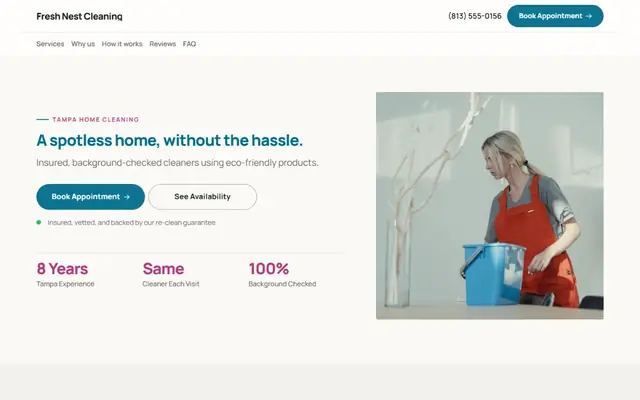
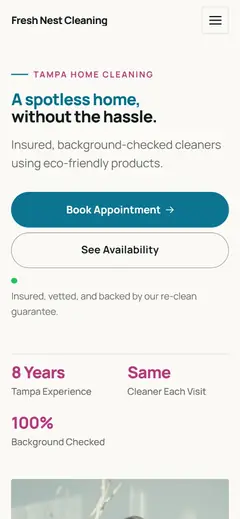
Clean and structured, with a photo beside the headline. Suits office and commercial cleaning contracts.
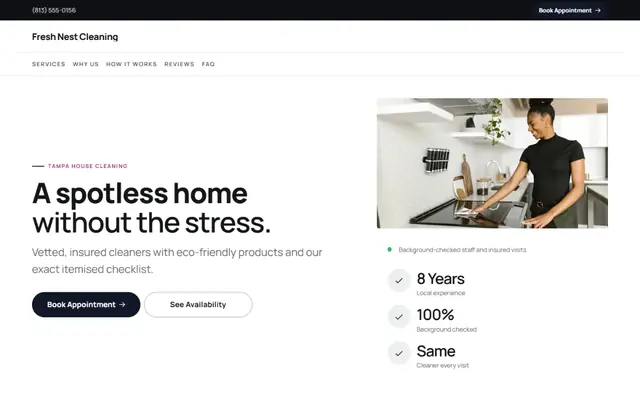
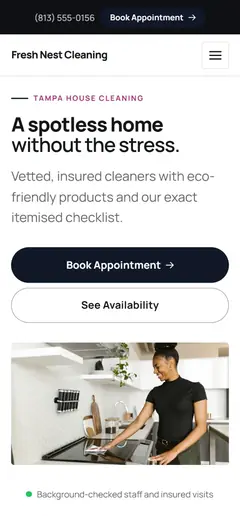
A dark first screen, big capital headlines and one loud accent color. Suits a company that wants calls for same-week cleans.
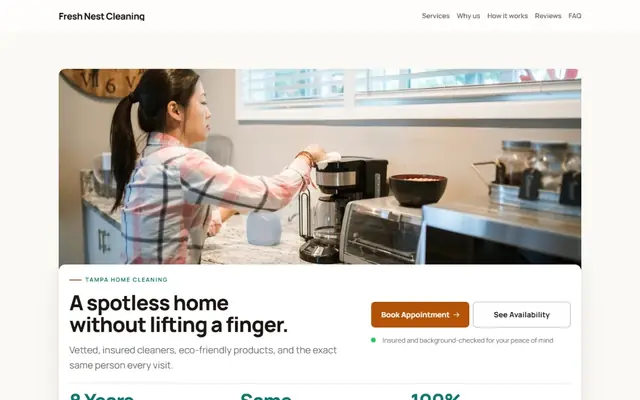
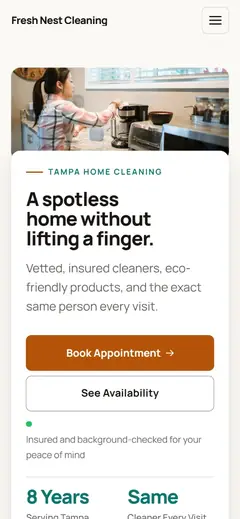
Soft cards and warm colors under a wide photo. Suits a small, family-run house cleaning business.
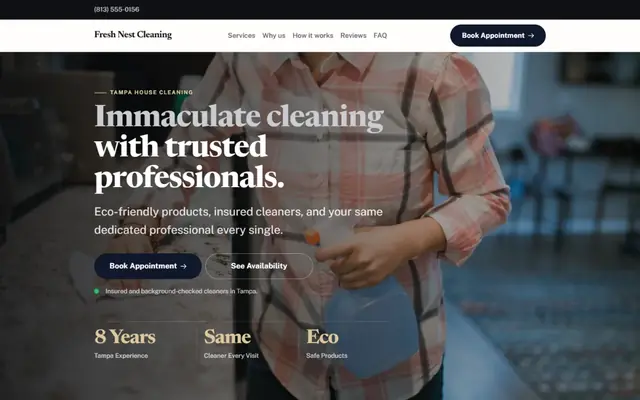

Dark and understated, with a serif headline over a full-width photo. Suits premium and concierge home cleaning.
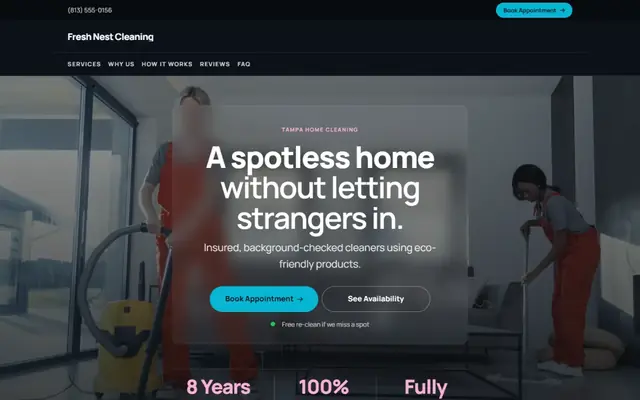
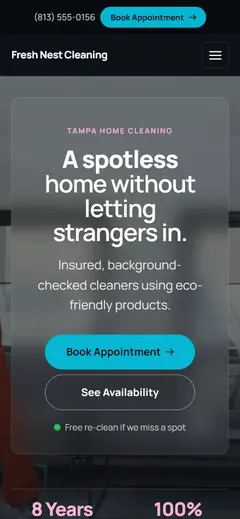
Dark mode throughout, with a glass card over the photo. Suits a modern, booking-first cleaning brand.
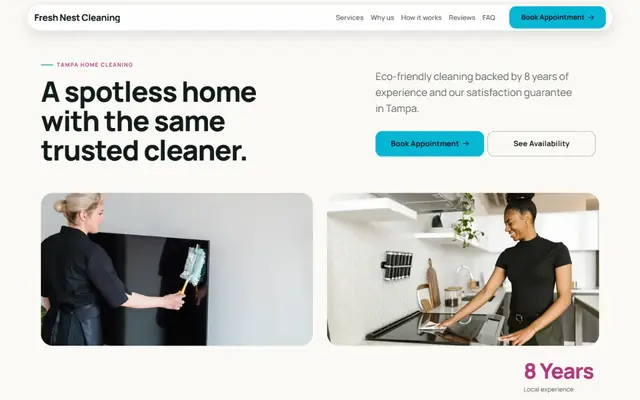
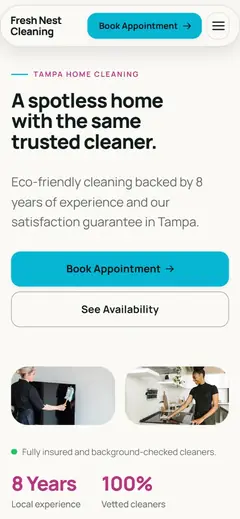
Light and airy, with two photos under the headline. Suits friendly residential maid services.
Step by step
Watch the full build, or follow the ten steps below it. Sparrow Home Cleaning is a made-up company. Every screen is the real product.
The first build in this video took just under three minutes. Anything we sped up says so on screen.
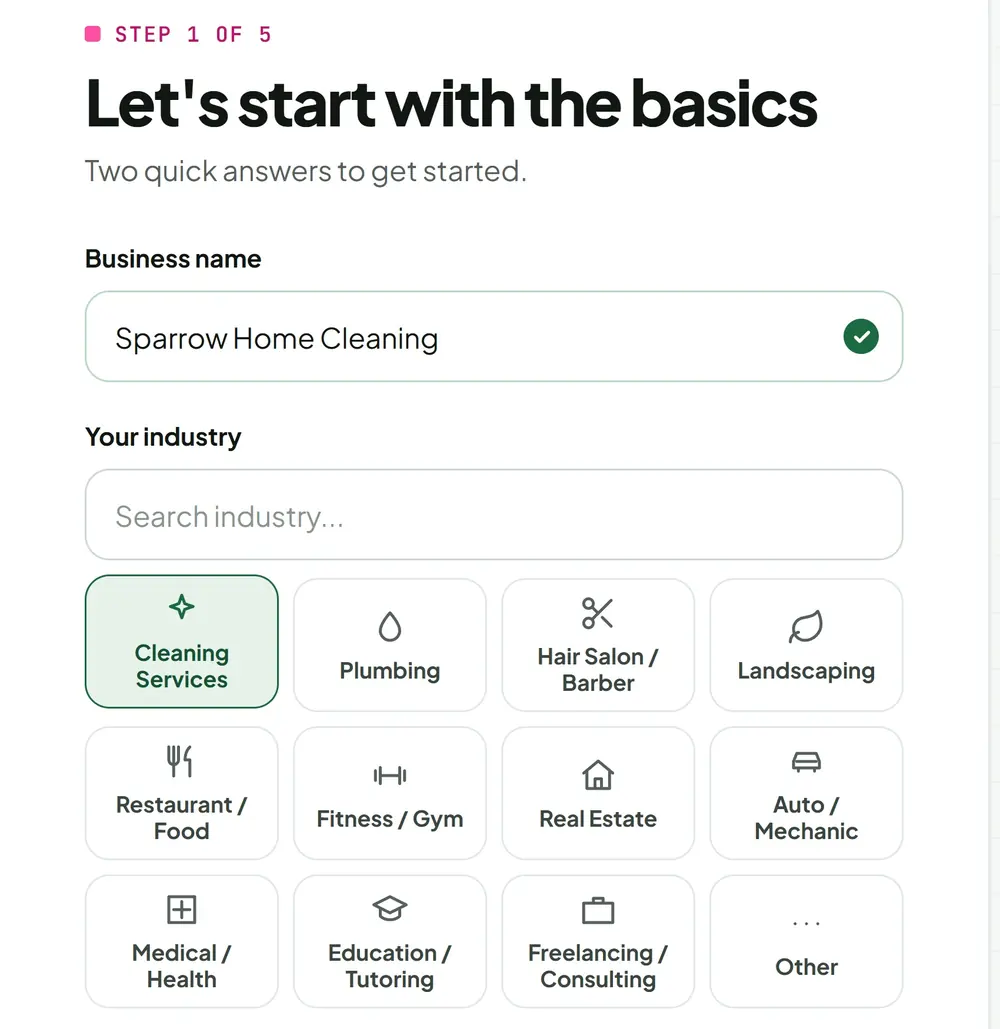
Enter your business name at the top of this page and click Build my site. Cleaning Services is already picked for you, which shapes the design, the wording and the photos.
Watch this step 0:29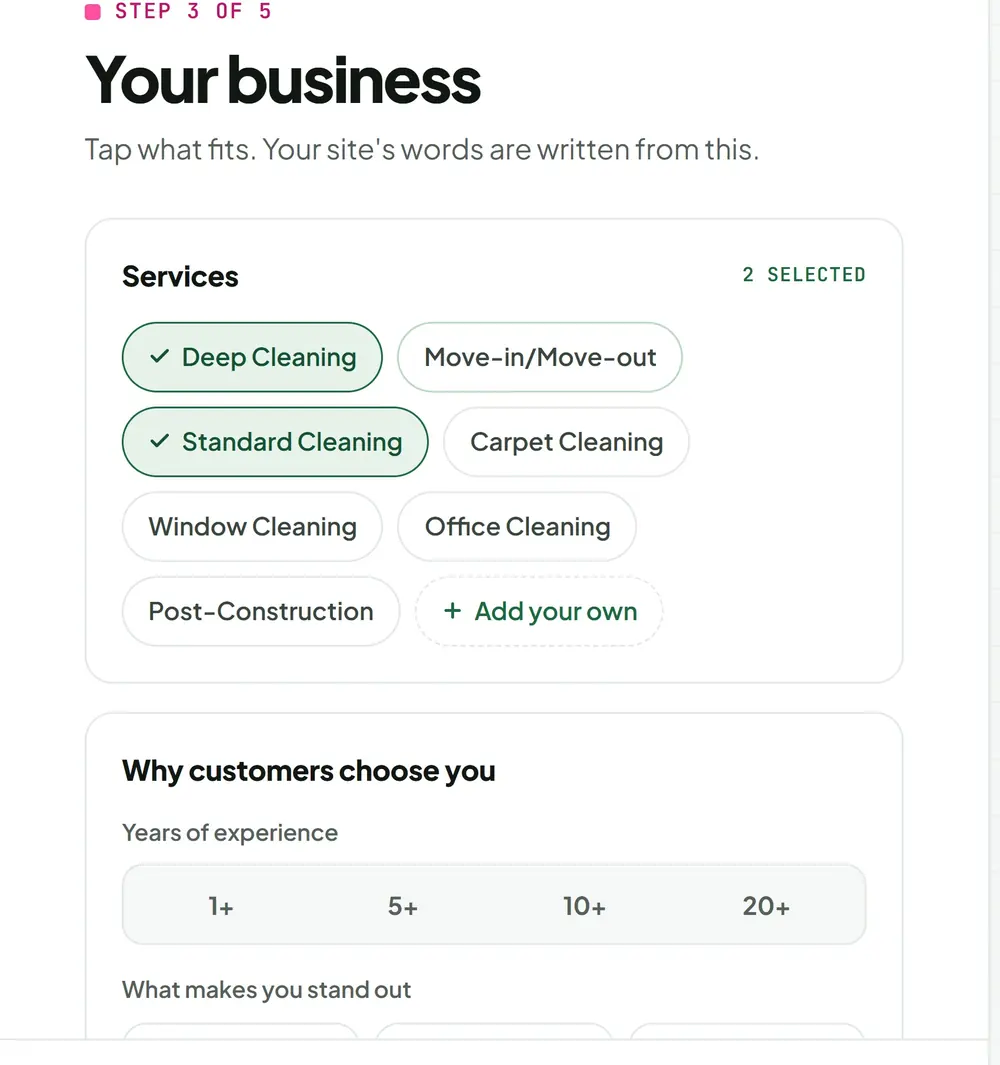
Upload a logo and WeBoss takes its colors, or pick a ready-made pair. Tap the cleans you offer, add your own if one is missing, then say in a sentence or two what makes you different. The AI writes from these answers, so be accurate.
Watch this step 0:53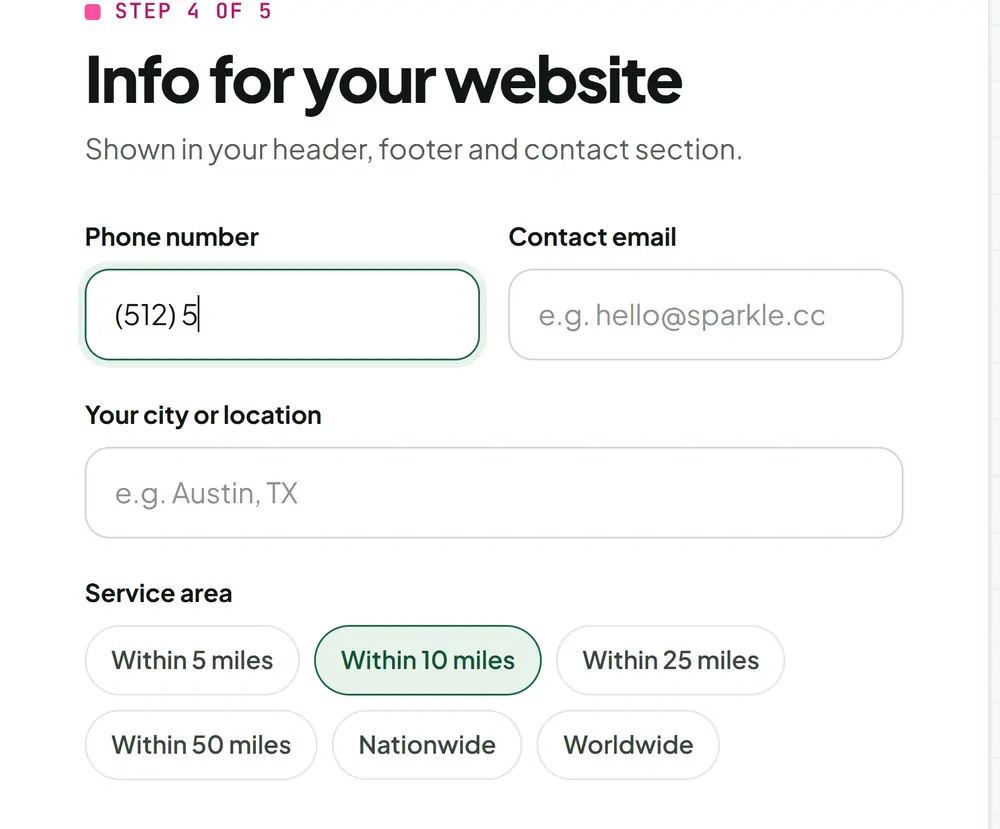
Your phone number, email and city go in your header, your footer and the details filed for Google. Then choose how far you travel.
Watch this step 1:22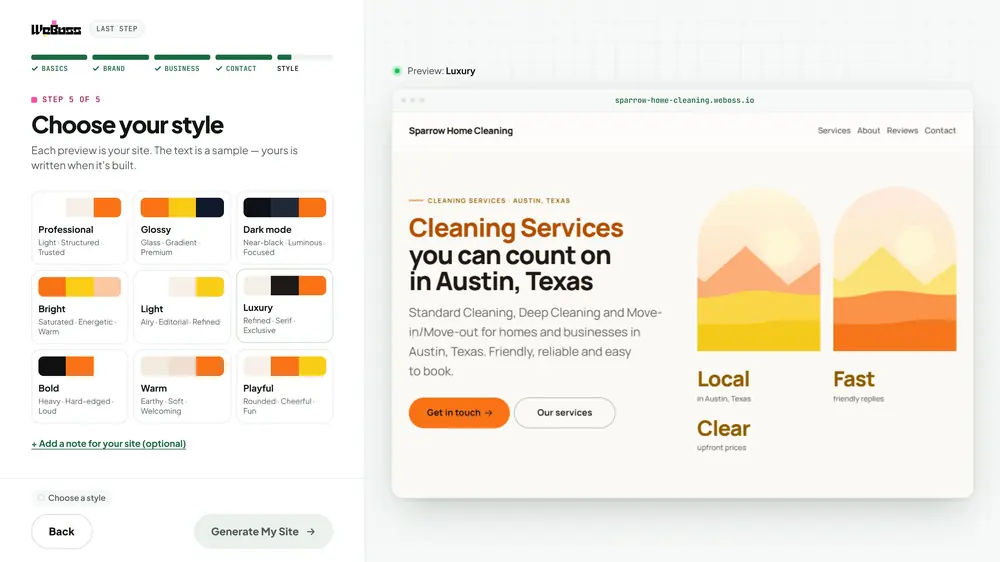
Hover over any of the nine styles to see your own business in it, then click Generate My Site. AI writes your words, picks from over 300 section designs and finds cleaning photos.
Watch this step 1:31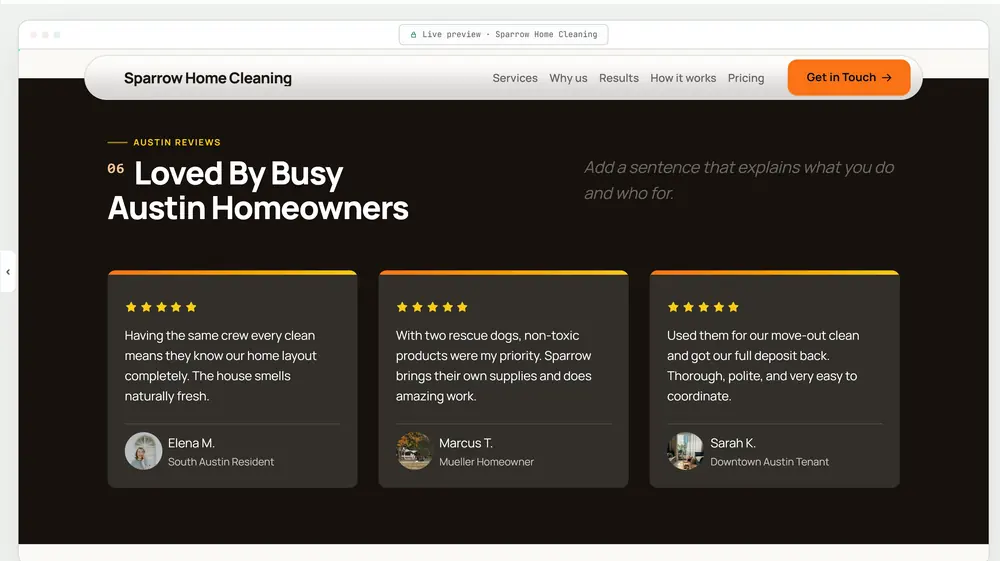
A new site starts with sample reviews and before-and-after photos that show the layout. Swap them for your real ones, or delete them, before you go live. Then read every line, because customers will hold you to it.
Watch this step 2:13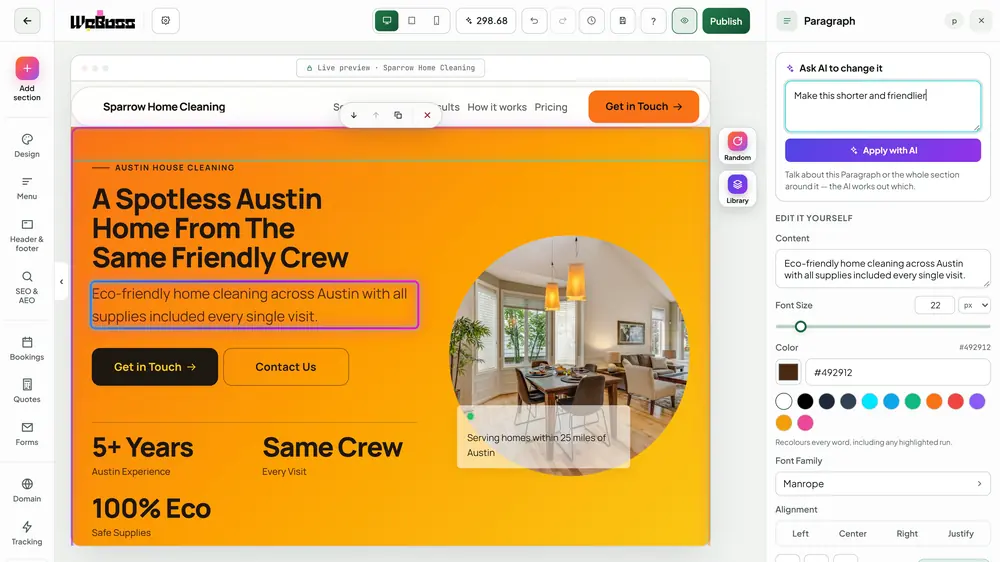
Click a line to retype it, or ask the AI something like "make this shorter and friendlier". Click a photo to find another or upload your own, because real photos of your team beat stock photos. Swap any section for a new design, and add one that lists the towns you cover.
Watch this step 2:38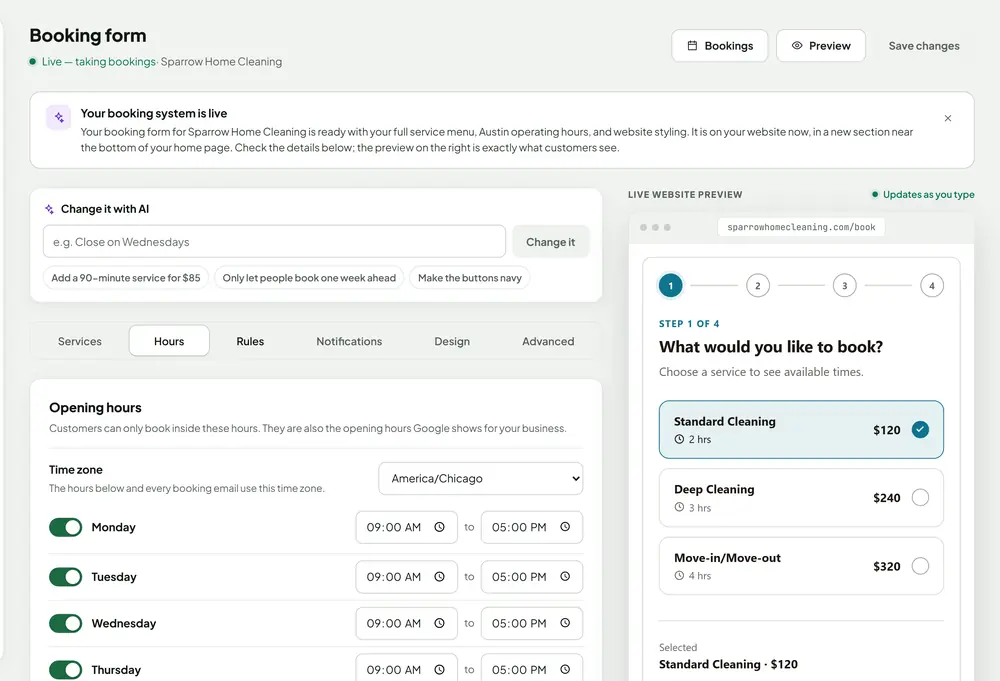
Open Booking forms and list what customers can book, with the length and price of each clean. Set your hours, the notice you need and how often a visit can start. The form goes on your site, and customers only ever see times you really have free. See how online booking works.
Watch this step 4:15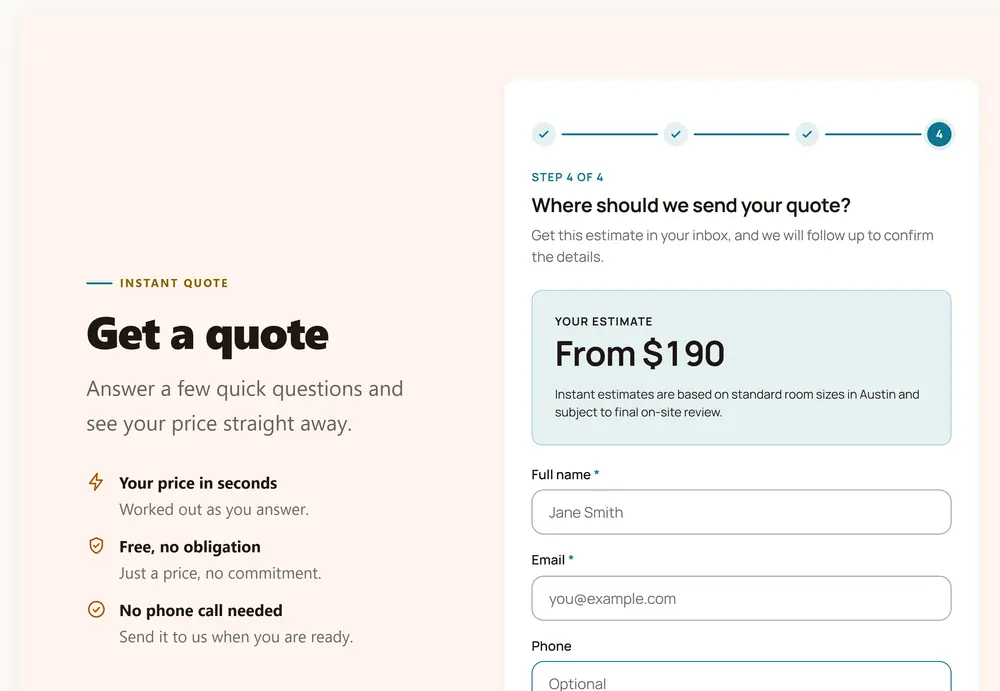
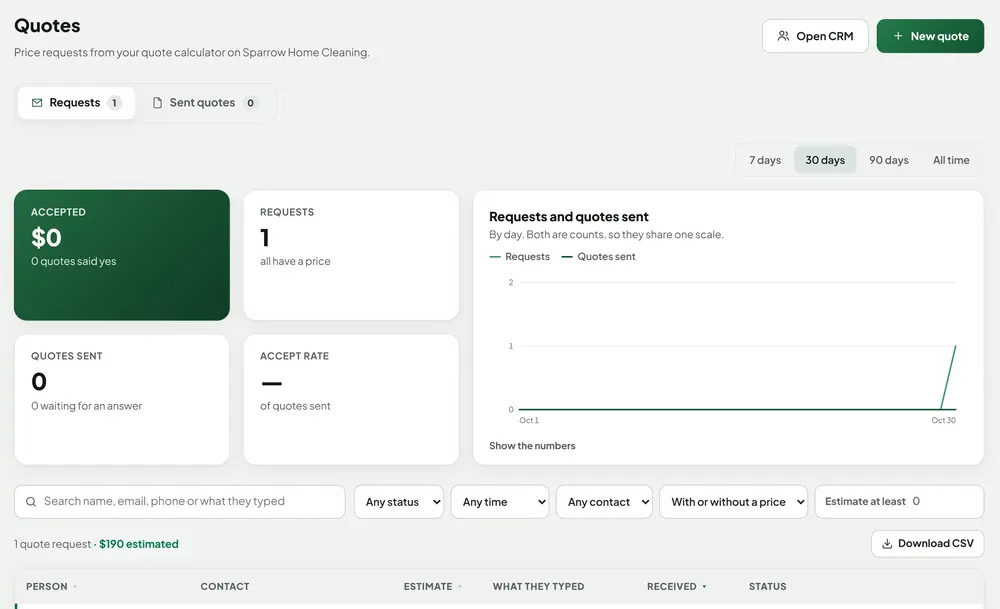
Choose whether customers see a price now, describe the job, or pick either one. Set your prices, then add extras like inside the fridge or oven. In our test, three bedrooms at $45 plus two extras showed "from $190". Add a contact form in one click for everyone else. See how quotes work.
Watch this step 5:13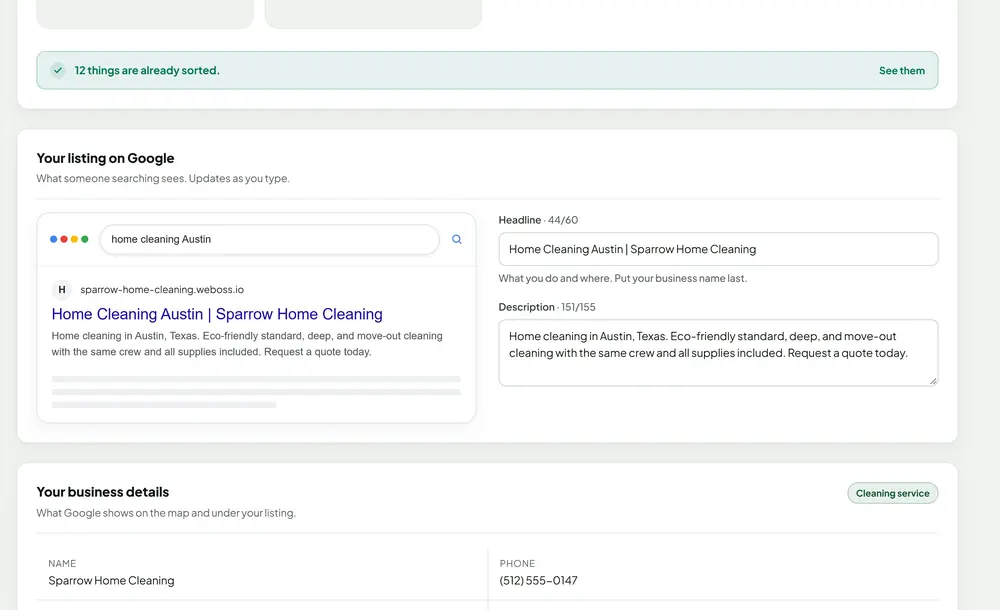
Open SEO & AEO and click Fix. AI writes your title and description for Google and fills in your business details, and it never changes a word on your site. Anything left for you to do is listed in plain English.
Watch this step 6:09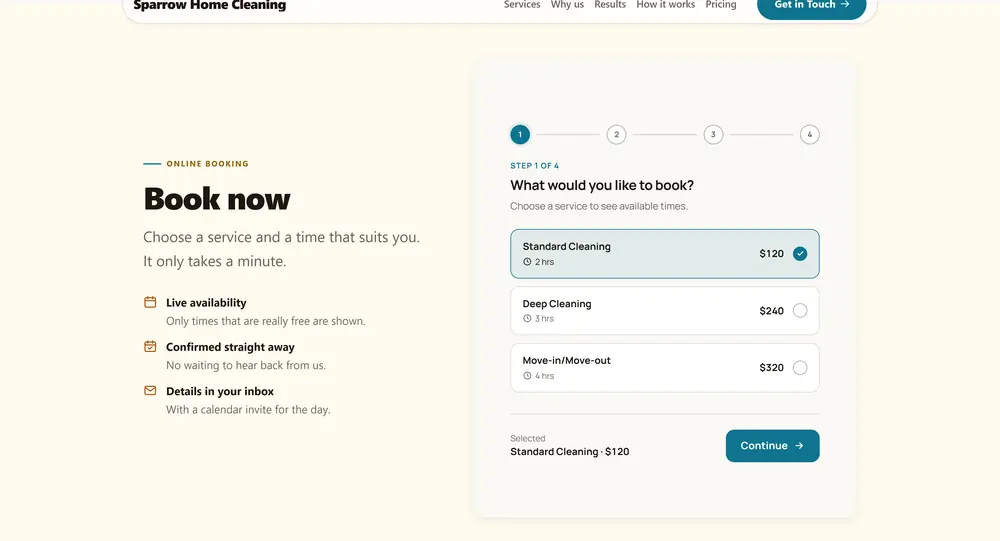
Click Publish and your site is live at your own weboss.io address, or connect your own domain. Going live is $14.99 a month. Then book a clean and ask for a quote yourself, and check that both reach your dashboard.
Watch this step 6:57If you run a house cleaning business, this is the website you want. Customers see your services, pick a time and book, or get a price in seconds, without calling you. In this video I'll build this exact site from scratch, step by step: the design, online booking, instant quotes, contact forms, and getting found on Google. Every screen you see is the real product, and whenever I speed something up, it says so on screen.
We're using WeBoss, and I'm starting on its page for cleaning businesses. Type your business name, and click Build my site. For this video I'm building for a made-up company: Sparrow Home Cleaning, in Austin, Texas. First, your trade. Cleaning services is already picked for me, and that matters, because it shapes the design, the wording, and the photos. Next, your brand. Upload a logo if you have one, and WeBoss takes its colors. No logo? Pick a ready-made color pair. You can change all of this later. Now your business. Tap the services you offer, your years of experience, and what makes you different. Then tell your story in a sentence or two, in your own words. The AI builds your copy from these answers, so be accurate. And always read what it writes, because your customers will hold you to it. Add your phone number, email and city, then how far you travel. This goes in your header, your footer, and your details for Google.
Last step, your style. Hover over any of the nine looks, and you see your own business in that style, with your name and your city. I'll go with Bright. It's energetic and warm. Click Generate my site. The AI now writes your copy, picks from over 300 section designs, and finds photos for cleaning. This build took just under three minutes, so I've sped it up.
And here's the first draft, built from those five answers: your headline, your services and what's included in each, and why customers should pick you. There are before and after sliders, a simple how it works section, and a place for your packages. Now, one thing you must do. These reviews are samples, there to show the layout, and the before and after photos are stand-ins too. Replace them with your own real reviews and real photos, or delete them, before you go live. You also get frequently asked questions, a final call to action, and a footer with your contact details. Those faint gray prompts in the editor are only hints for you. Visitors never see them. Now let's make it yours. There's no code here. To change anything, just click it. I click the headline and type what I want in the panel on the right. Size, color and font are all here too. Or ask the AI. I click this line, and type: make this shorter and friendlier. It rewrites it for me, and I can undo it if I don't like it. Changing a photo is just as quick. Click it, search for what you want, and pick one. Or upload your own, which is always better. Real photos of your team beat stock photos.
Don't like a section's layout? Click inside it, then hit Random to try a new design, with your words already in it. Or open the library, and choose from 26 designs for that section. Click one, and it changes in place. To change the whole site, open Design. I'll switch my main color to teal, and my second color to amber. Then choose your fonts and your button shape, and apply it everywhere. The buttons changed, but this hero has its own orange gradient. So I ask the AI: make the background deep teal, with white text and a white button. And there it is. Much better for a cleaning company. Need something that's missing? Click Add section, and describe it. Service areas help a cleaning business, so I list the towns I cover. Keep your request specific, and check what it writes, because the AI can get a little creative. Most customers will find you on a phone, so check it here. Switch to phone view and scroll through, then tablet. Every design adapts on its own.
Now the part that earns you money. Go to Booking forms and click Start. You answer a few short questions, and your prices and hours are used exactly as you type them. Add what customers can book. Standard cleaning, two hours, $120. Deep cleaning, three hours, $240. Move-in or move-out, four hours, $320. Set your hours. It already picked up the Austin time zone. I'll take Monday to Saturday, nine to five. Then your rules: how much notice you need, and how often a visit can start. By default it matches your website. Since I changed my colors earlier, I turn on my own button color and set it to teal. Then click Build. Your booking system is live, and it's already on your website. Change your services, hours, rules and email notifications any time. Customers only ever see the times you really have free.
Next, the quote calculator. The first question every cleaner gets is, how much? Click Start, then choose how customers get a price. I'll let them choose: see a price now, or describe the job. Now your prices. I charge by the bedroom: $45 for standard, $75 for deep, and $90 for a move-out. Your numbers will be different, so set your own. Turn on an extra charge for weekends, then add your extras: inside the fridge, inside the oven, interior windows. I'll show it as a starting price, since every home is different. Set the button color, build it, and the calculator is on your site too.
For everyone else, add a contact form. One click creates it and puts it on your page. Set the button color, add your own questions if you want, and save.
A website nobody finds won't help you, so open SEO and AEO. SEO is for Google. AEO is for AI assistants like ChatGPT. This check shows what's missing, and splits it into what the AI can fix and what needs you. Click Fix. The AI reads your page, writes your title and description for Google, and fills in your business details. It never changes a word on your site. My score went up, and whatever's left is listed here in plain English, for me to handle. Here's how you'll look in a search, and you can edit it. Below that are the details filed for Google: your name, phone, hours and services, plus the phrases you should show up for. No tool can promise you first place, but this gets the basics right.
Now let's go live. Click Publish, refresh your SEO one more time, and publish. And that's it. Your site is live, at your own address on weboss.io, and you can connect your own domain, like sparrowcleaning.com. Building and previewing is free, and you don't need a card. To go live, the Starter plan is $14.99 a month, and your first month is $4.99. Cancel any time.
Now let's test it like a real customer. I scroll down, pick deep cleaning, choose a day, and choose a time. I add my details, review the booking, and confirm. No phone calls, no back and forth. Just note that customers don't pay online. They book a time, and you take payment yourself. Now a quote. I pick standard cleaning, three bedrooms, then add the fridge and the oven. The price updates with every answer: from $190. That's three bedrooms at $45, plus the two extras. They enter their name and email to get the estimate, and you get their details, so you can follow up. And a message through the contact form lands in the same place.
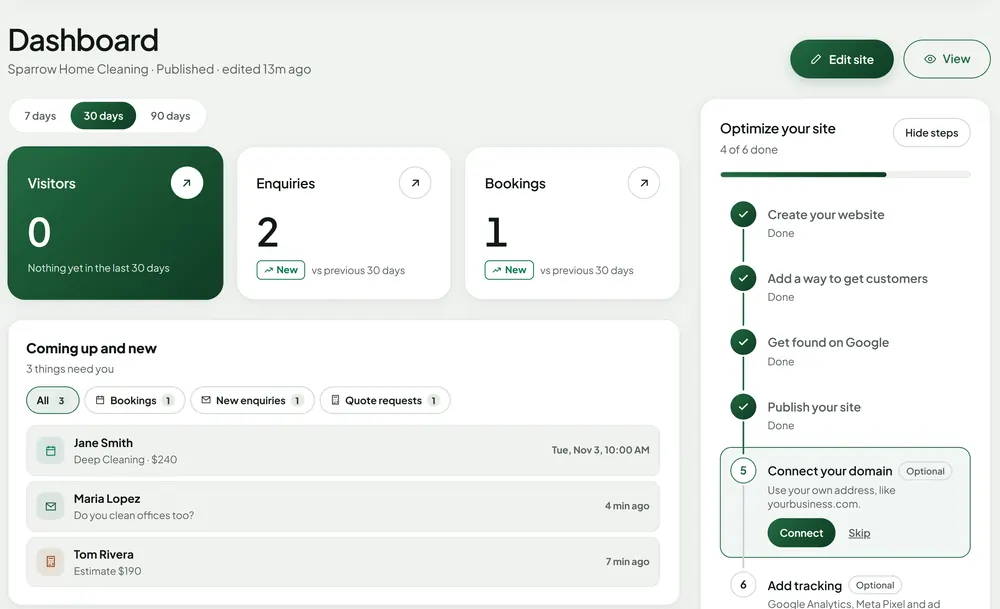
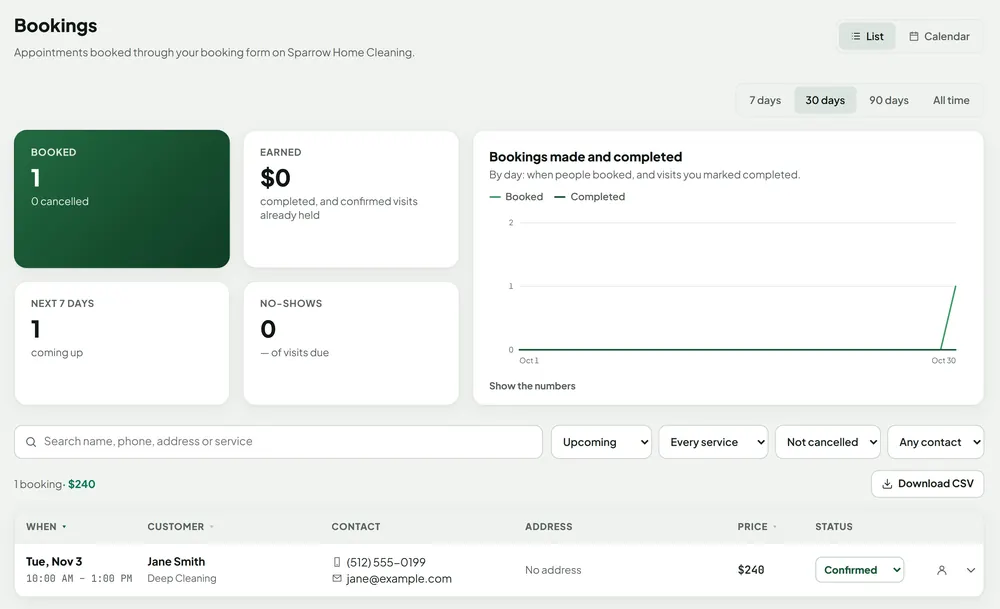
Here's what you see as the owner. Your dashboard shows everything that needs you: the booking, the message, and the quote request. Bookings shows every appointment, as a list or on a calendar. Quotes shows who asked and what price they saw, and Enquiries holds your messages. A fast reply goes a long way. So that's a complete cleaning business website: designed,
with online booking, instant quotes, a contact form, and set up for Google. You can do the same for your own business in one sitting. Go to weboss.io, type your business name, and build yours. Building and previewing is free. If this helped, subscribe, and tell me in the comments which trade I should build next.
How it works
Click to change anything. Customers book while you work.
01 · Change anything
Press Random for a new design. Your words stay.
02 · Get booked
Customers pick a time. It lands on your dashboard.

Features
No plugins, no add-ons. Scroll, or tap a feature, to see it work.

Answer five questions. AI writes the words, picks the photos and lays it out.
The software
A website usually means a separate booking app and a quote tool. WeBoss puts them in one product, on one bill, so a visitor can go from a search to a booked clean without leaving your site.
Customers pick a clean and a free time. They get a confirmation email with a calendar file and a link to move or cancel.
Online booking for your websitePrice by bedrooms, bathrooms, square feet or a list of services, with extras. Type your prices, or describe them in plain words.
Instant quote calculatorBookings, quote requests and messages land in one place and in your email. Filter them, mark them done and download a CSV.
One click writes your title, description and business details, with a sitemap and a brief for AI assistants.
Google and AI search set-upHosting and SSL are included. Go live on a weboss.io address, or connect a domain you own.
Custom domain and hostingEach booking or request becomes a client with a timeline, notes, tags and a follow-up date, on a pipeline you drag jobs across.
Simple CRM for service businessesFor an office or a big move-out, build a quote with lines, a discount, tax and an expiry date. The client accepts online by typing their name.
See who started your quote form and left, with what they typed, so a lost customer gets a call back.
Connect Google Analytics, Google Ads, Meta and TikTok to see which ads bring in bookings.
Real screens from the tutorial, after one test booking, one quote and one message.
Better to know now than after you sign up.
It depends on your size. A solo cleaner or a small team mostly needs what is above: a website, booking, quotes and a client list.
Once crews are on the road, a field service app such as Jobber, Housecall Pro or ZenMaid handles recurring schedules, dispatch, invoicing and payments. Those apps run the work. WeBoss brings the work in, so plenty of businesses would use both.
Every kind of clean
Pick your services in the wizard and the site is written around them. Here is what to lead with, and how to set up your quote calculator.
Lead with who comes into the home, then a price. Make the regular clean the easy choice, and publish your cleaning checklist so people can see what they get.
Price byBedrooms and bathrooms, with extras
List what a deep clean adds to a standard one, such as baseboards, grout and inside appliances, so the higher price makes sense.
Price byBedrooms, or home size
Speak to renters, landlords and real estate agents. Say what is included, and that the home should be empty.
Price byHome size, with add-ons
Janitorial work is usually won after a walk-through. Let customers describe the space, then send a priced quote.
Price byDescribe the job, then quote
Before-and-after photos do the selling here. Keep the price simple, and list pet and stain treatments as extras.
Price byRooms or pieces, with stain treatment
Show one sharp photo of a finished job. Offer inside and outside as separate choices, because people often want only one.
Price byWindows, stories, inside or out
Hosts want reliable turnovers between guests. Add it as your own service in the wizard, and say how you handle same-day checkouts.
Price byFlat price per turnover
Builders and remodelers want a date and a price. Show the areas you cover and how quickly you can start.
Price byDescribe the job, then quote
Pressure washing has its own page, with designs made for it.
The checklist
Six things to get right before you go live. WeBoss has the tools for all of them.
Cleaning customers want a number now. Give it before they ask.
Regular clients are your income. Make booking the easy part.
You are being let into a home. Say why they can trust you.
A room-by-room list ends "does that include the oven?".
Name your towns and neighborhoods, for local search.
Title, description and business details filed in one click.
Design guide
A cleaning customer is handing over a key. Before the price, before the checklist, they want to know who is coming into their home and whether they can be trusted. A cleaning website that answers that first gets the booking.
Insured, background-checked, the same cleaner each visit, if those are true. State them plainly near the top. This is the worry behind every inquiry.
It is how the whole industry quotes, and customers expect it. A calculator with two questions and a few extras gives a price in seconds and wins the booking.
Room by room, what a standard clean covers and what a deep clean adds. It ends the "do you do inside the oven?" calls and prevents disputes later.
Weekly and every-other-week customers are the business. Show what they save against a one-time clean, and make the regular clean your first service.
Move-outs and vacation rental turnovers have different customers and different prices. A short section each catches landlords and hosts.
Your customers search by the type of clean, the town and the price. These are real suggestions from Google and Bing, checked in November 2026.
Use the ones that fit your work in your headline and your services, with your own town.
Get found
Your website is one part of it. Many cleaning searches end in "near me", so Google also looks at your location, your listing and your reviews.
No tool can promise a first-page ranking. Rankings also depend on your competition, your reviews, how long your site has been around and who links to it.
Why WeBoss
Other builders sell these as apps and upgrades. Every WeBoss site comes with them.
| Feature | WeBoss | Website builders | Web agency |
|---|---|---|---|
| Site built for you from 5 questions | About a minute | You fill a template | 2–6 weeks |
| Instant quote calculator | Paid app | Custom build | |
| Online booking | Higher plan or app | Extra cost | |
| Every lead in one list | Spread across apps | ||
| CRM with pipelines and follow-upsPro | Paid app | ||
| Half-finished forms caughtPro | |||
| Quotes clients accept onlinePro | Paid app | ||
| Google and AI search set up for you | One click | Do it yourself | Extra cost |
| New design, same words | One click | Rebuild by hand | Paid change |
| Change it yourself, any time | Email and wait | ||
| What it costs | $0 to build$14.99/mo to go live | A planplus paid apps | $2,200+up front |
Website builders: what the big DIY builders' entry plans usually include. Many offer these as paid apps or on higher plans. Agency: typical 2026 quotes for a small-business site.
Build my site freePricing
Build and try it
$0
Free forever to build and preview
Go live, get customers
$14.99 $4.99 first month
Then $14.99/month. Cancel anytime.
For growing businesses
$39.99/month
Billed monthly. Cancel anytime.
| Feature | Free | Starter | Pro |
|---|---|---|---|
| AI builds your whole site | |||
| Preview link to share | |||
| Live websites | – | 1 | 3, +$15/mo each extra |
| AI credits | 5 to start | 50 a month | 100 a month |
| Booking, quote and contact forms | Build and try | ||
| See and answer your leads | – | ||
| Your own domain | – | ||
| Hosting and SSL | – | ||
| CRM: pipelines, tags, follow-ups | – | – | |
| Send quotes clients accept online | – | – | |
| Unfinished leads | – | – | |
| Ad tracking: Google, Meta, TikTok | – | ||
| No "Built by WeBoss.io" link on your site | – | – |
Building and previewing it on WeBoss is free. To go live, Starter is $14.99 a month, with hosting, booking, quotes and contact forms included. A freelancer or agency usually costs far more up front, so compare the total over a year.
You can build and preview the whole site for free, with no card. Putting it live on the web needs a paid plan. Some builders have a free plan, but it usually shows their ads and uses their address, which can look less professional to someone letting a cleaner into their home.
It is free to build with. You can make and preview a complete cleaning business website, with booking, quotes and your own words, without paying or adding a card. Putting it live on the web needs a paid plan, from $14.99 a month. Our guide to the best free website builders for cleaning businesses compares the builders that do have a free plan.
Yes. The six cleaning website templates on this page are free to try: pick one and your own cleaning company website is built in that style, with your name, services and prices. You only pay when you put it live.
If you want new clients beyond word of mouth, yes. People search for cleaners on their phones, compare a few and pick the one that looks trustworthy and shows a price. A Facebook page or a Google listing helps, but a website is the one place you control, where someone can see your prices and book at 10 pm.
Open Booking forms in WeBoss, add each clean with its length and price, then set your hours and rules such as notice time and a daily limit. The form then appears on your site. Send yourself a test booking before you go live.
Yes. The calculator prices by bedrooms, bathrooms, square feet or a list of services, with extras like inside the oven. You set the numbers and can show the result as a starting price. Customers enter their name and email to get the estimate, so you can follow up.
They book one visit at a time. There is no automatic weekly repeat yet, so a regular client rebooks on your site or you agree the next visit with them directly. If most of your work is recurring, pair your site with a scheduling app.
Not yet. They book a time or ask for a quote, and you take payment yourself the way you do now. There are no deposits at booking either.
Not yet. A WeBoss site is one page, with a section that lists the towns you cover. Name them in plain words, and let your Google Business Profile do the rest of the local work.
Claim your free Google Business Profile, which is what puts you on Google Maps. Make sure your site names your services and towns, keep your name, address and phone the same everywhere, and ask happy clients for reviews. WeBoss sets up the technical side in one click, but no tool can promise a first-page ranking.
Start with your Google Business Profile and a website that shows a price and takes bookings. Ask every happy client for a review, post before-and-after photos, and reply to every request the same day. Local Facebook groups and Nextdoor are worth trying too.
It depends on your size. A solo cleaner or small team mostly needs a website, online booking, quotes and a client list, which WeBoss covers on one bill. Larger teams with crews on the road usually add a field service app such as Jobber, Housecall Pro or ZenMaid for recurring schedules, dispatch, invoicing and payments.
The first build usually takes a few minutes. In our tutorial it took just under three. Adding your real photos and reviews, your prices and your hours can be done in one sitting.
Yes. You answer five questions, then click anything to change it or ask the AI. Booking and quotes need no plugin and no code.
Hosting and SSL are included with a paid plan, and your site gets a weboss.io address. A domain of your own is optional, and you can connect one you already own.
No. A new site starts with sample reviews and before-and-after photos that show the layout. Replace them with your real reviews and photos, or delete them, before you go live.
Yes. Pick your services in the builder, or add your own, and the site is written around them. Office, carpet and window cleaning are in the list, along with move-in and move-out and post-construction cleaning.
One with online booking and an instant quote calculator included, because that is how cleaning customers decide. WeBoss has both built in and writes the site for your trade. A general builder gives you more pages, but you usually add booking and a calculator yourself.
Who you are and how you vet your team, your services and what each clean includes, a price or quote calculator, online booking, real reviews and photos, the areas you serve, and your phone number on every screen. On WeBoss these are sections of one page.
Yes, if you can. Cleaning is compared on price, and people often add the word "prices" to their search. A starting price answers their first question and filters out jobs that are not a fit. If every job is different, collect the details and send a quote.
Get started
