
Free tool
Markup calculator
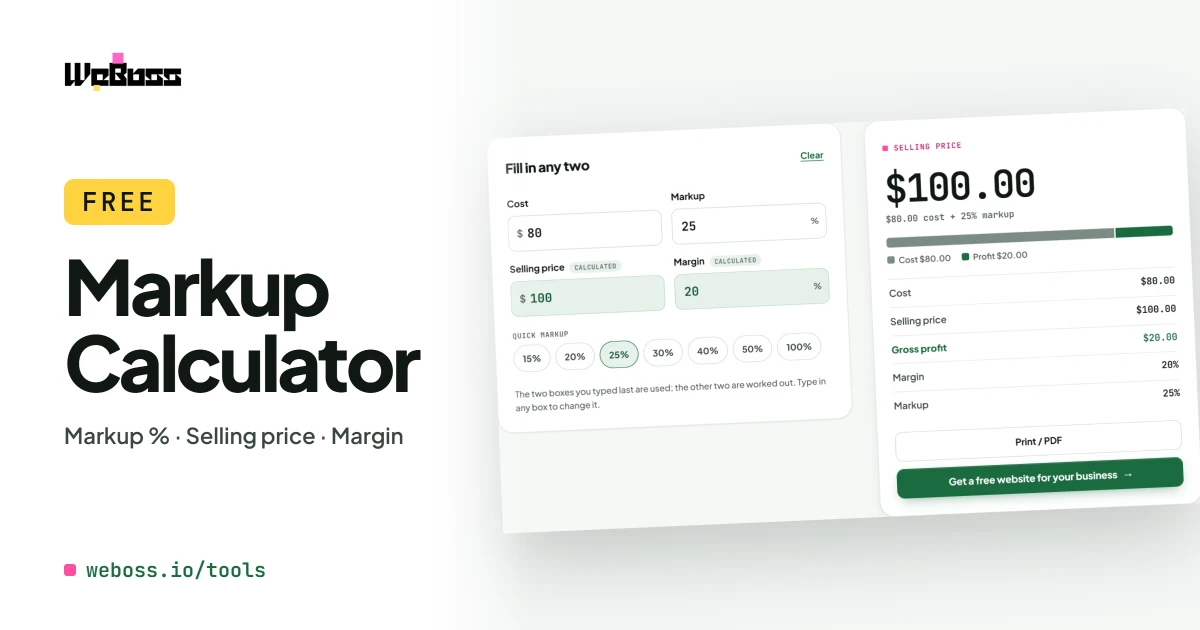
Enter your cost and a markup percentage. Get the selling price, the profit and the margin.
Step by step
How to use the markup calculator
Enter your cost
What the item or the job costs you.
Choose a markup
Tap 20%, 30%, 50% or type your own percentage.
Read the selling price
The price, the profit in dollars and the margin fill in.
Work backwards
Type a price instead, and it shows the markup that price gives.
What it does
A markup percentage calculator for cost-plus pricing
Use it as a markup percentage calculator, a cost-plus pricing calculator or a markup to margin converter. Cost and markup in, selling price out.
-
Selling price from cost
Cost plus your markup percentage gives the price to charge.
-
Markup from cost and price
Type both and see the markup percentage you are making.
-
Cost-plus pricing
Cost plus 15%, plus 20%, plus any figure you choose.
-
Markup to margin
The profit margin shows beside every markup.
-
Profit in dollars
How much you keep on each sale or job.
-
Markup to margin table
From 10% to 200% markup, with the margin each gives.
-
Print or PDF
A one-page summary of the numbers.
-
Free and private
No sign-up. Nothing you type is sent anywhere.
The formulas
How to calculate markup and selling price
- Selling price: cost × (1 + markup). $80 × 1.25 = $100.
- Markup %: (selling price − cost) ÷ cost × 100.
- Example: an item that costs $80 and sells for $100 makes $20, which is a 25% markup.
- Markup to margin: markup ÷ (100 + markup) × 100. A 25% markup is a 20% margin.
- Cost-plus pricing: "cost plus 20%" is a 20% markup: multiply the cost by 1.20.
To start from the margin you want, use the margin calculator.
Markup to margin table
| Markup | Multiply cost by | Margin |
|---|---|---|
| 10% | 1.10 | 9.1% |
| 15% | 1.15 | 13.0% |
| 20% | 1.20 | 16.7% |
| 25% | 1.25 | 20.0% |
| 30% | 1.30 | 23.1% |
| 35% | 1.35 | 25.9% |
| 40% | 1.40 | 28.6% |
| 50% | 1.50 | 33.3% |
| 75% | 1.75 | 42.9% |
| 100% | 2.00 | 50.0% |
| 150% | 2.50 | 60.0% |
| 200% | 3.00 | 66.7% |
A 100% markup doubles the cost and gives a 50% margin.
Who it is for
A markup calculator for materials, parts and resale
Contractors
Mark up materials and subcontractor costs on an estimate.
Repair and service shops
Set the price of parts from what the supplier charges.
Wholesale and retail
Go from a wholesale cost to a shelf price in one step.
How do I calculate markup?
Subtract the cost from the selling price to get the profit, divide the profit by the cost and multiply by 100. An item that costs $80 and sells for $100 has $20 profit, and 20 ÷ 80 is a 25% markup.
How do I add a 20% markup to a cost?
Multiply the cost by 1.20. For a 30% markup multiply by 1.30, for 35% by 1.35, for 40% by 1.40 and for 50% by 1.50. A $200 cost with a 40% markup sells for $280.
What is the difference between markup and margin?
Markup is profit as a share of the cost; margin is the same profit as a share of the selling price. A 25% markup is a 20% margin, and a 50% markup is a 33.3% margin. Markup is always the bigger number.
How do I convert markup to margin?
Divide the markup by 100 plus the markup, then multiply by 100. A 40% markup is 40 ÷ 140 = 28.6% margin. The table on this page has the common ones.
What is cost-plus pricing?
Setting the price by adding a fixed percentage to what the item or the job costs you. Cost plus 20% on a $500 job is a $600 price. It is the same thing as a 20% markup.
Can a markup be more than 100%?
Yes. A 100% markup doubles the cost, and a 150% markup makes the price two and a half times the cost. Margin is the one that can never reach 100%.
Is the markup calculator free?
Yes, with no sign-up. It runs in your browser and nothing you type is sent to WeBoss.
Get started