
Free tool
Margin calculator
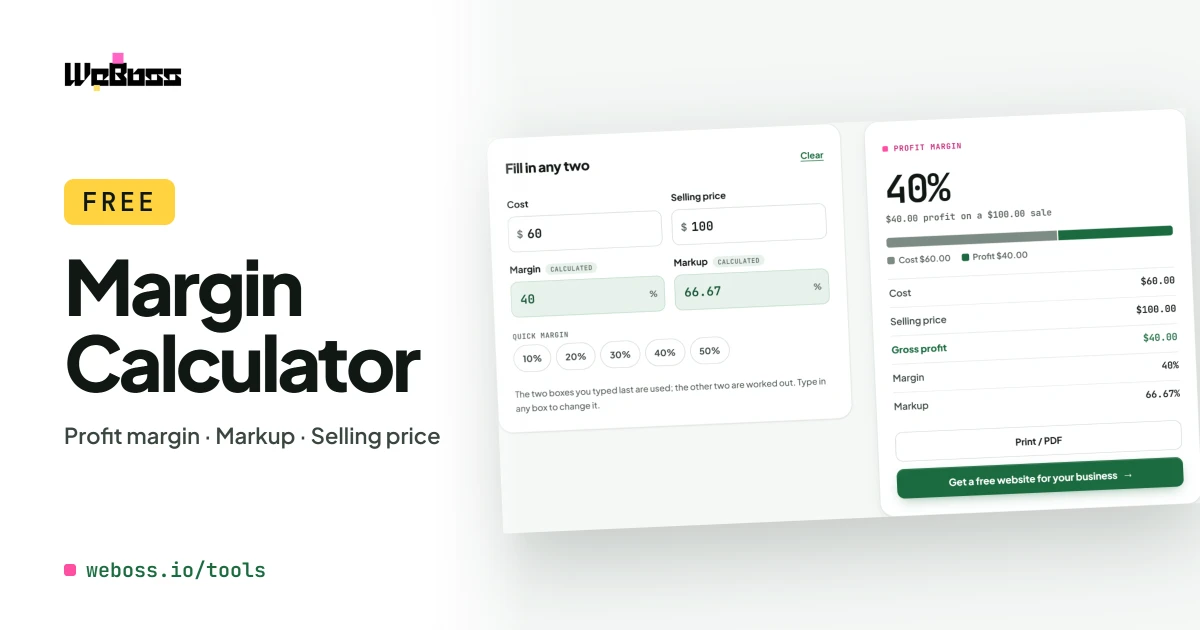
Enter any two of cost, price, margin and markup. Get the profit and the rest.
Step by step
How to use the margin calculator
Enter what it costs you
The cost of the item or the job: materials, labour, whatever you pay.
Enter a second number
The selling price, or the profit margin you want to make.
Read the answer
Gross profit, profit margin, markup and selling price fill in.
Try another price
Change any box and the rest follow. Print the result if you need it.
What it does
A profit margin calculator that also finds the selling price
Use it as a profit margin calculator, a gross margin calculator or a selling price calculator. Two numbers in, every other number out.
-
Any two numbers
Cost and price, cost and margin, price and margin: it solves the rest.
-
Profit margin percentage
What share of the selling price is profit.
-
Selling price for a margin
Type the margin you want and get the price to charge.
-
Gross profit in dollars
Price minus cost, for one item or one job.
-
Markup beside the margin
See both at once, so the two are never mixed up.
-
Margin vs markup table
The markup that gives each common margin.
-
Print or PDF
A one-page summary of the numbers.
-
Free and private
No sign-up. Nothing you type is sent anywhere.
The formulas
How to calculate profit margin
- Gross profit: selling price − cost.
- Margin %: profit ÷ selling price × 100.
- Example: a job that costs $60 and sells for $100 makes $40, which is a 40% margin.
- Selling price for a margin: cost ÷ (1 − margin). $60 ÷ (1 − 0.40) = $100.
- Markup %: profit ÷ cost × 100. The same job has a 66.7% markup.
These are gross figures. Rent, insurance, tax and other overheads are not taken off. To start from a markup, use the markup calculator.
Margin vs markup table
| Margin | Markup needed | Price of a $100 cost |
|---|---|---|
| 10% | 11.1% | $111.11 |
| 15% | 17.6% | $117.65 |
| 20% | 25.0% | $125.00 |
| 25% | 33.3% | $133.33 |
| 30% | 42.9% | $142.86 |
| 35% | 53.8% | $153.85 |
| 40% | 66.7% | $166.67 |
| 50% | 100.0% | $200.00 |
| 60% | 150.0% | $250.00 |
| 75% | 300.0% | $400.00 |
A margin is always smaller than the markup that produces it.
Who it is for
A gross margin calculator for pricing jobs and products
Service businesses
Price a job so the materials and labour leave the margin you need.
Contractors
Check the margin on a bid before you send it.
Anyone who resells
Turn a supplier cost into a selling price in one step.
How do I calculate profit margin?
Subtract the cost from the selling price to get the profit, then divide the profit by the selling price and multiply by 100. A $100 sale that cost $60 leaves $40 profit, and 40 ÷ 100 is a 40% margin.
What is the difference between margin and markup?
Both start from the same profit. Margin divides it by the selling price; markup divides it by the cost. An item that costs $60 and sells for $100 has a 40% margin and a 66.7% markup. Margin can never reach 100%; markup can be any size.
How do I find the selling price for a margin I want?
Divide the cost by 1 minus the margin. For a 40% margin on a $60 cost: 60 ÷ (1 − 0.40) = $100. Type the cost and the margin and the calculator gives the price.
Is this gross margin or net margin?
Gross margin: it uses only the cost you type for the item or job. Net margin also takes off overheads such as rent, insurance and tax across the whole business, which this calculator does not know.
What margin does a 50% markup give?
A 50% markup is a 33.3% margin. A 100% markup is a 50% margin. The table on this page lists the common ones.
What is a good profit margin?
It depends on the trade and on your overheads, so there is no single number. This calculator shows the margin a price gives; it does not tell you what to charge.
Is the margin calculator free?
Yes, with no sign-up. It runs in your browser and nothing you type is sent to WeBoss.
Get started